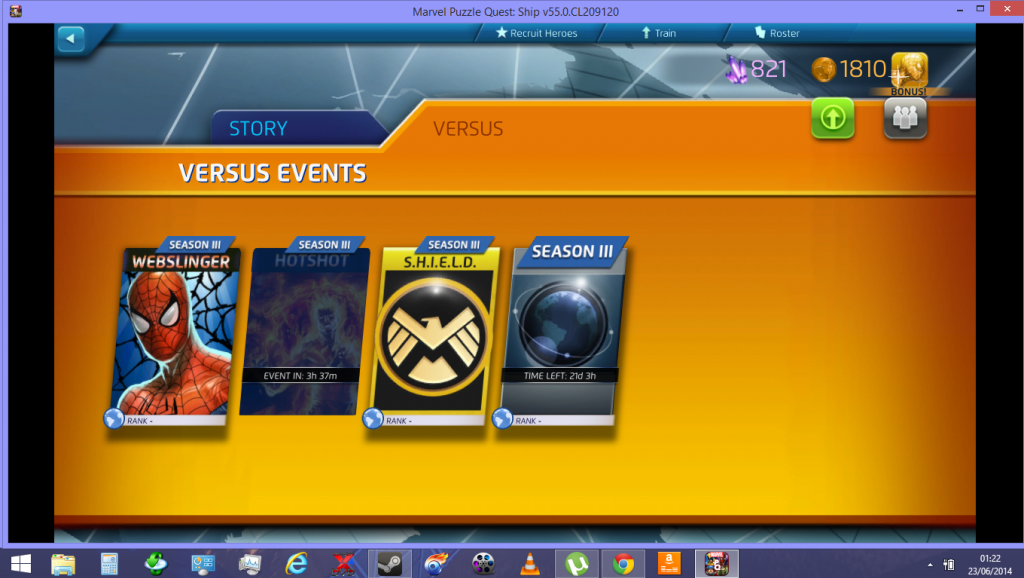
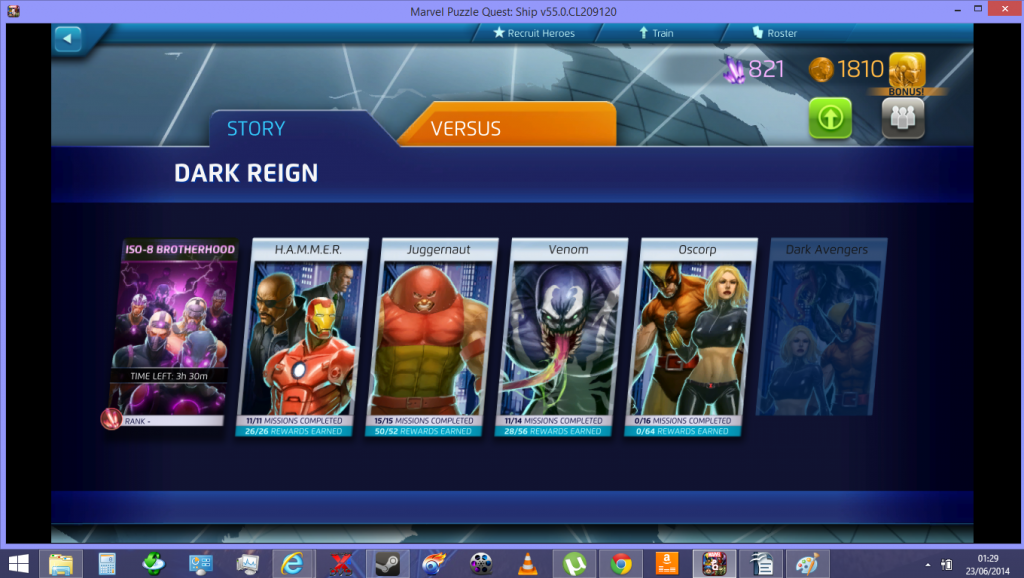
Fixed thanks to locked with solution below. Also didnt lose anything in my roster etc
Try the following: exit Steam, go to the Steam folder and delete the ClientRegistry.blob file; delete the x:\Program Files\Steam\SteamApps\common\Marvel Puzzle Quest folder as well; launch Steam again. User data is not saved in that folder so you shoooould be safe. Turn on Cloud storage for MPQ if you haven’t (Library - right-click MPQ - Properties - Updates - Steam Cloud Enable).
You can’t access any events? I know that there is a current bug with the WEBSLIGNER event. It greys out and won’t let you play. Haven’t read about any problems with the PVE.
its not greyed out but i get to team selection click on fight and logo flashes in middle. the little box with 3 people below the bonus buy coins box is greyed out.
Do i have to finish all single player first or have to wait x amount of time.
I have a Steam account as my “experimentation account”. I haven’t touched it in a while. Give me a few minutes to bring it up and I will check it out and see if I am duplicating the same bug.
Edit: Ok, this might take a bit. I have missed 3 updates. SO maybe it’s been more than a “while”. LOL. I will report back once I get it going.
When first got game bought the first dlc pack from steam & then some more at reduced cost so its happy to take money & the daily sales for packs have worked
Ok, I got updated and played a round of PVP and PVE and both are working for me. But Steam does seem to lag more than usual. Are you updated to the most recent version of MPQ?
but if i dint have first screen then how will they reinstate my game & basically lose everything money gone for zero nothing, If I file a complaint with steam they will have sloppy shoulders. So game worked fine to take my money but nothing else.
Hmm… What do you see, then? Any screenshots? I remember that I was offered to create a PvP name upon joining SHIELD Simulator, but it was so long ago. They revamped it.
Like the image here box is grey if i like on it next screen comes up with logo in the centre but kicks me back to this screen. A couple of times I have got a glimpse on clicking it a gery box and its time to join alliance before getting kicked back again
Huh? That’s a very old version of the game! It can’t be Patch R55. Are you installing through Steam or an outside source?
Try the following: exit Steam, go to the Steam folder and delete the ClientRegistry.blob file; delete the x:\Program Files\Steam\SteamApps\common\Marvel Puzzle Quest folder as well; launch Steam again. User data is not saved in that folder so you shoooould be safe. Turn on Cloud storage for MPQ if you haven’t (Library - right-click MPQ - Properties - Updates - Steam Cloud Enable).
Edit: I don’t understand, can you join the second golden event (SHIELD Versus)? If you click the Events tab, you get booted to Prologue screen, right?
Edit: that’s how the game looks on R55:
Story mode (old Prologue)
will try the suggestion about deleting extra stuff from steam tomorrow getting late here. took me a while to remember my log in for pb to post the screens
Well they both look alright to me; what happens when you click on Webslinger or SHIELD Simulator? One of these should offer you to create a Versus name. Maybe the Brotherhood event offers that, too. Screenshots can be posted on many image hosting sites like http://imgur.com for example.
Edit: I get it that when you click on any event besides Story chapters, you don’t see anything besides the logo?